
You have heard about n8n. You have seen people on YouTube connect it to everything and automate their entire business.
So you sign up, open the canvas, and stare at it. Hundreds of nodes. Dozens of integrations. No clear idea what to build first.
Some workflows are worth your time. Some are not. Here is the honest breakdown.
Direct Answer
n8n is worth building when it saves you repeated manual work, moves data between tools you already use, or triggers an action you would otherwise miss. It wastes your time when you automate something you do once, chase tools you do not use, or build complexity nobody asked for. Start with one simple lead-capture workflow and grow from there.
What n8n Actually Is
n8n is a workflow automation tool. You build a small flow: trigger, actions, conditions. When one thing happens, n8n does something else automatically.
Common triggers: a new form submission, a new email, a new row in a sheet, a scheduled time.
Common actions: send a message, update a database, create a task, notify a team, log a lead.
That is the whole idea. You connect the tools you already use so that data moves without you.
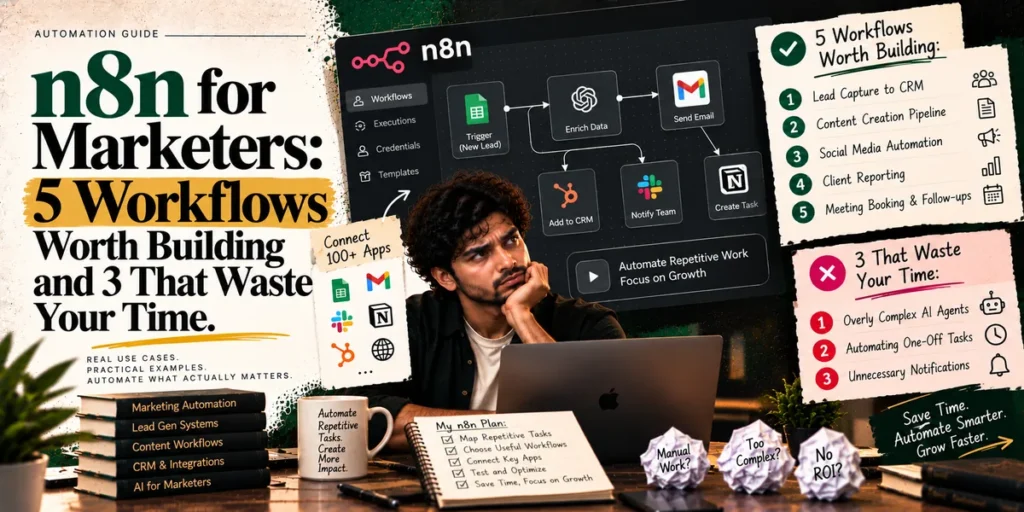
5 n8n Workflows Worth Building
1. Lead Capture to CRM and WhatsApp
What it does: When someone fills your form, n8n sends the lead to your CRM and triggers an instant WhatsApp or email to the lead and to your team.
Why it is worth it: Speed matters. A lead contacted within five minutes converts far better than one contacted the next day. Manual follow-up is slow. Automation makes it instant.
Where it fits: Any business that collects leads. Course sellers, clinics, agencies, freelancers.
Time to build: 1 to 2 hours for a basic version.
2. Weekly Performance Report from Ads and Analytics
What it does: Every Monday morning, n8n pulls data from your ad platform and analytics, formats it, and sends it to you or your client as a single summary.
Why it is worth it: Building weekly reports manually eats hours. Automating it means you start the week with the data instead of spending half a day collecting it.
Where it fits: Freelancers managing multiple clients. In-house marketers reporting to a team.
Time to build: 2 to 4 hours depending on the platforms.
3. Content Publishing Workflow
What it does: You draft content in one place, like a Google Sheet or Notion. n8n reads the row, schedules the post, and publishes across platforms at set times.
Why it is worth it: Content gets done when it is scheduled. Manual publishing every day is friction. Automation removes the friction and makes consistency easier.
Where it fits: Anyone publishing regularly on social media, blog, or email.
Time to build: 2 to 3 hours, plus setup time for each platform.
4. Missed-Call or Missed-Form Recovery
What it does: If a form is opened but not submitted, or a call comes in and is missed, n8n triggers a gentle follow-up message.
Why it is worth it: Most leads are lost because nobody follows up. Automating recovery catches what manual work misses.
Where it fits: Any service business with high lead volume.
Time to build: 2 to 3 hours.
5. Review Request After Purchase
What it does: After a purchase or a service, n8n waits a set number of days and sends a review request with a direct link.
Why it is worth it: Reviews are a top signal for local SEO and trust. Asking every customer manually is not realistic. Automating it makes it happen every time.
Where it fits: Local businesses, e-commerce, service providers.
Time to build: 1 to 2 hours.
3 n8n Workflows That Waste Your Time
1. Automating a Task You Do Once a Year
You spent six hours building an automation for something you do twice a year. The setup took longer than doing the task manually for a decade.
Automation is worth it when the task is repeated. If it happens once, do it manually.
2. Chasing Every New Integration
You hear a new tool. You connect it to n8n. Then another. Then another. Your workflows start to look like a spiderweb.
Most of these integrations are never used. You built them because they were possible, not because they solved a problem.
Before you connect a tool, ask one question. Does this save me real time every week. If the answer is no, do not connect it.
3. Building Complex Workflows Nobody Asked For
You build a workflow with fifteen nodes, three conditions, two branches, and an error handler. It handles a use case that comes up once a month.
Complexity feels impressive. It is not the goal. Simple workflows that run reliably are the goal. If a workflow has more than five or six steps, ask whether half of it can be removed.
Comparison Table
| Workflow Type | Worth Building? | Why |
|---|---|---|
| Lead capture to CRM and WhatsApp | Yes | Speed of follow-up drives conversions |
| Weekly performance report | Yes | Saves hours, improves consistency |
| Content publishing | Yes | Removes daily friction |
| Missed-call or missed-form recovery | Yes | Recovers lost leads |
| Review request after purchase | Yes | Feeds ongoing trust signals |
| Automating a once-a-year task | No | Setup time exceeds benefit |
| Chasing every integration | No | Complexity without payoff |
| Over-engineered workflows | No | Fragile and hard to maintain |
What I Actually Did
When I first used n8n, I went straight for the impressive stuff. I connected seven tools. I built a branch-heavy workflow. I was proud of it for a week. Then it broke, and I could not figure out which of the seven connections had failed.
The fix was to simplify. I rebuilt the entire thing in four nodes. It did the same job. It stopped breaking. It was easier to maintain. That was the lesson.
Since then, I have built workflows with one rule. If it does not save real time every week, it does not get built. If it has more than six steps, it needs a reason. If it breaks, it should be obvious which step caused the problem.
The best workflows I have built are boring. A trigger. Two or three actions. A clear output. That is it. The dramatic ones live in YouTube videos. The useful ones live in real businesses.
Mistakes to Avoid
Building before defining the problem. Know exactly what you want to happen and how often. Then build.
Connecting too many tools. Each connection is a potential point of failure. Keep it minimal.
Ignoring error handling. What happens when the trigger fires and the action fails. Without error handling, a broken workflow silently drops data.
Not testing with real data. Test with a real form submission, a real email, a real lead. Fictional data hides real problems.
Letting it run without monitoring. A workflow that has stopped is worse than no workflow, because you assume it is working.
Rebuilding what already works. If a simple manual process is reliable, do not automate it just because you can.
Practical Checklist Before You Build a Workflow
- ☐ I have defined the exact trigger and the exact action.
- ☐ The task happens at least weekly, so automation pays off.
- ☐ I am using only tools I already actively use.
- ☐ The workflow has six steps or fewer, unless there is a strong reason.
- ☐ Error handling is set up so failures are visible.
- ☐ I have tested it with real data, not fictional examples.
- ☐ I have a way to know if it stops working.
- ☐ I have documented what it does, for the day it breaks.
- ☐ I have not built it just because it is possible.
- ☐ The workflow actually saves me time, measured against doing it manually.
FAQ
Q: Is n8n better than Zapier or Make?
A: It depends. n8n is more flexible and often cheaper at scale. Zapier and Make are easier for simple tasks. If you are just starting with automation, any of them works. The workflow matters more than the tool.
Q: Do I need to know how to code to use n8n?
A: No. Most workflows are built with drag and drop. Some advanced nodes use small pieces of code, but you can build useful workflows without coding.
Q: What is the simplest useful workflow I can build first?
A: A form submission that sends the lead to your CRM and triggers a WhatsApp or email. It is simple, useful, and easy to test.
Q: How long does a workflow take to build?
A: A simple one takes 1 to 2 hours. A complex one takes half a day or more. If it takes longer, you are probably overbuilding it.
Q: What happens if a workflow breaks?
A: If you have set up error handling, you will get a notification. If not, you may not know until you check the data. Always set up monitoring.
Q: Should I automate everything?
A: No. Automate what happens often. Do the rare tasks manually. Automation has a cost in setup time and maintenance.
End CTA
If you want to learn n8n by building real workflows that solve real problems, look at the SVidya homepage. Automation runs across multiple weeks in the 22-week live program. Every student builds workflows with real triggers and real outputs. Read the curriculum and check whether it fits your goals. If it does not, that is fine too. The important thing is that your first workflow saves you real time, not just looks impressive.
Author Box
Shubhankar Vashist is the founder of SVidya, based in Delhi. He has 6+ years of marketing experience across healthcare, pharma, cosmetics, e-commerce and agencies. He teaches digital marketing by making students build real assets.