
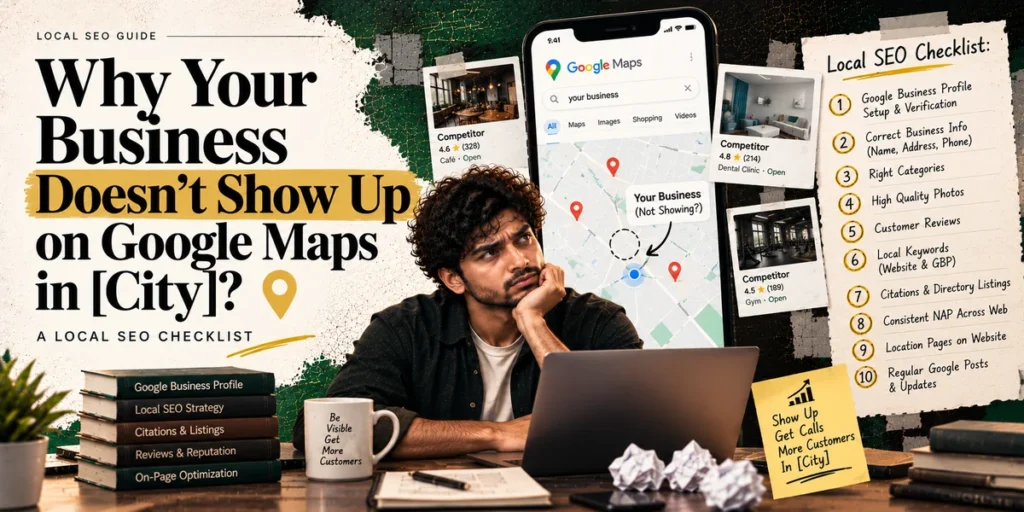
You have a business. You have an address. You have customers who walk in and pay. But when someone nearby searches for what you sell on Google Maps, your business doesn’t show up.
You check once. You check twice. Still nothing. Meanwhile, a competitor with a smaller shop and worse reviews shows up first.
This is one of the most frustrating local SEO problems. And it is almost always fixable. Here is why it happens, and a checklist to work through.
Direct Answer
Your business doesn’t show up on Google Maps because of one of five reasons: no Google Business Profile, incomplete profile information, no recent activity, inconsistent business information across the internet, or weak local signals like reviews and citations. Fix these, and you usually appear within weeks.
1. You Have No Google Business Profile
This is the most common reason. And the simplest to miss.
Google Maps does not automatically list every business. You have to create a Google Business Profile. It is free. It takes about fifteen minutes to set up, and a few days to a couple of weeks to get verified.
If you do not have one, nothing else on this list matters. Create the profile first.
2. Your Google Business Profile Is Incomplete
You created the profile. You filled in the name and address. You stopped there.
An incomplete profile is nearly invisible. Google needs details to decide whether to show you for a search.
Make sure your profile includes:
- Business name, exactly as it appears on your signboard
- Full address, matching your physical location
- Phone number
- Website link
- Business category, primary and secondary
- Business hours, including holidays
- Photos of your shop, inside and outside
- A short description of what you do
- Service or product list
Each item you skip reduces your visibility. The profile with more information wins the search more often.
3. You Have No Recent Activity on Your Profile
You set up the profile and forgot it. No posts, no photo updates, no replies to reviews.
Google reads activity as a signal. A profile that is dead looks like a dead business. A profile with regular updates looks alive.
Fix: Post at least once a week. Share an offer, a new arrival, a behind-the-scenes photo, or a customer story. Reply to every review, good or bad. Update your hours if they change. These small actions keep your profile active in the system.
4. Your Business Information Is Inconsistent
Your shop sign says one name. Your website says another. Your Instagram handle uses a slightly different spelling. Your old listing on a directory still shows your previous phone number.
Google cross-checks all of these. When the information does not match, trust drops. When trust drops, rankings drop.
Fix: Pick one exact version of your business name, address, and phone number. Use the same version everywhere. On your website. On your Google Business Profile. On all directories. On social media. On your signboard.
This is called NAP consistency. Name. Address. Phone. It is one of the strongest local ranking signals.
5. No Reviews or Very Few
Reviews are one of the top three signals for local ranking. If you have zero, or only two from 2021, you are invisible compared to a competitor with fifty recent reviews.
Fix: Ask every happy customer for a review. Do it at the moment of the sale, when they are happy. Make it easy. Send a short WhatsApp message with a direct link to leave a review. Reply to every review within 24 hours, whether it is positive or negative.
You cannot buy reviews. Google detects that and it backfires. But you can ask, and you can make it easy. Most people who are happy with your service will leave one if you ask.
6. You Have Not Built Local Citations
A citation is any online mention of your business name, address, and phone number. Directories, business listings, local news articles, industry sites. Each one tells Google that your business is real and located where you say it is.
The most important ones to claim:
- Google Business Profile
- Justdial
- IndiaMART (if relevant to your category)
- Sulekha
- Your industry-specific directories
- Facebook Business Page
- Apple Maps
- Bing Places
Make sure your NAP is identical on every single one. Any inconsistency weakens the signal.
7. Your Website Has No Local Signals
You built a website with no city mentioned. No address. No local keywords. No embedded map.
Google looks at your website to confirm you serve a specific location. If nothing on the site says “we are in [City]”, you lose that signal.
Fix: Add the city to your homepage title and description. Add your full address to the footer. Add an embedded Google Map on the contact page. Write one or two pages about your service in your specific city. Mention landmarks or neighbourhoods.
If you have multiple locations, create a separate page for each city.
8. Your Website Is Slow or Broken on Mobile
Most local searches happen on a mobile phone, often on the move. If your website loads slowly or does not work on a phone, users bounce. Google notices the bounce. Your local ranking suffers.
Fix: Test your site on your own phone. Check the load time. Make sure buttons are tappable, forms work, and phone numbers are clickable. Speed is not optional for local SEO.
9. You Have No Photos or Videos
Google Business Profiles with photos get significantly more clicks and calls than profiles without them. Photos of the shop, the team, the work, the interior, the exterior.
Fix: Upload fresh photos every few weeks. Real photos, not stock images. Show the outside of your shop so people recognise it when they arrive. Show the team so they know who to look for.
Video is a growing signal. Even a 30-second video from your phone showing your shop helps.
10. You Have Not Verified Your Profile
You created a Google Business Profile but never completed the verification. Unverified profiles do not appear prominently in Maps.
Fix: Complete the verification. It is usually done by postcard, phone, or video, depending on your country and category. Without verification, you are invisible.
Comparison Table
| Problem | Symptom | Fix |
|---|---|---|
| No Google Business Profile | Not appearing at all | Create and verify the profile |
| Incomplete profile | Appears only for exact name search | Fill every section |
| No recent activity | Drops slowly over time | Post weekly, reply to reviews |
| Inconsistent NAP | Ranks lower than competitors | Same name, address, phone everywhere |
| No reviews | Invisible next to reviewed competitors | Ask every happy customer |
| No citations | Weak local signal | Claim all major directories |
| No local signals on site | Google cannot confirm location | Add city, address, map |
| Slow site | Users bounce before loading | Speed up the site |
| No photos | Lower click-through | Upload fresh photos monthly |
| Unverified profile | Limited visibility | Complete verification |
What I Actually Did
When I started working on local SEO for small businesses, the pattern was almost always the same. The business had a profile, but it was half-filled. No photos. Two old reviews. Inconsistent information across directories. The owner assumed Google was broken.
It never was. In every case, once we completed the profile, added fresh photos, set up a simple review request system, and made the NAP consistent across five or six directories, the business started appearing in Maps within two to four weeks. Same shop. Same address. Same product. Just better local signals.
The biggest single change was reviews. Asking every happy customer at the point of sale, with a WhatsApp link, moved rankings more than any other single fix. It takes the owner two minutes a day and changes the business.
Mistakes to Avoid
Using a keyword-stuffed business name. Adding “best clinic in Delhi” to your business name gets you suspended, not ranked. Use your real name.
Buying fake reviews. Google detects this. It removes them and can penalise the profile.
Ignoring negative reviews. Replying calmly and professionally to a bad review often helps more than ten positive ones.
Setting the wrong service area. If you serve a wide area, set the service area. If you serve from a fixed location, use the address. Do not mix.
Not updating hours during holidays. Nothing loses trust faster than a customer showing up to a closed shop.
Using an old phone number. Every directory must show the same current number.
Practical Checklist for Local SEO
- ☐ I have a verified Google Business Profile.
- ☐ My business name, address, and phone number are complete and correct.
- ☐ I have added a primary and secondary business category.
- ☐ I have uploaded at least 10 real photos of my business.
- ☐ I post on the profile at least once a week.
- ☐ I reply to every review within 24 hours.
- ☐ I ask every happy customer for a review.
- ☐ My NAP is identical across at least 10 directories.
- ☐ My website mentions the city and has an embedded map.
- ☐ My website loads in under 3 seconds on mobile.
- ☐ My business hours are accurate, including holidays.
- ☐ I have updated any old phone numbers or addresses online.
FAQ
Q: How long does it take to show up on Google Maps after setting up a profile?
A: Once verified, most businesses appear in Maps within a few days. Ranking higher for competitive searches takes longer, usually two to eight weeks, depending on competition.
Q: Do I need a website for local SEO?
A: Not strictly, but a website helps a lot. A Google Business Profile alone can appear, but a website with local signals ranks higher and converts better.
Q: How many reviews do I need?
A: There is no minimum number, but the more recent reviews you have, the better. A steady flow matters more than a one-time burst. Aim for a few new reviews every month.
Q: Can I pay someone to rank my business on Maps?
A: Some agencies do legitimate local SEO work and can help. Many sell fake reviews or spam links, which get profiles suspended. Check what they actually do before paying.
Q: What if my address is my home?
A: You can set the profile to hide the address and use a service area instead. This is common for service businesses that visit customers.
Q: Why does my competitor rank higher with fewer reviews?
A: Reviews are one factor. Profile completeness, activity, NAP consistency, and website signals all matter. Check all of these before assuming reviews are the only issue.
End CTA
If you want to learn Local SEO by working on a real business, with Google Business Profile setup, citation building, and review systems, look at the SVidya homepage. Local SEO is one of the modules in the 22-week live program. Every student works on a real local project. Read the curriculum and check whether it fits your goals. If it does not, that is fine too. The important thing is that your business starts showing up where your customers are actually looking.
Author Box
Shubhankar Vashist is the founder of SVidya, based in Delhi. He has 6+ years of marketing experience across healthcare, pharma, cosmetics, e-commerce and agencies. He teaches digital marketing by making students build real assets.