
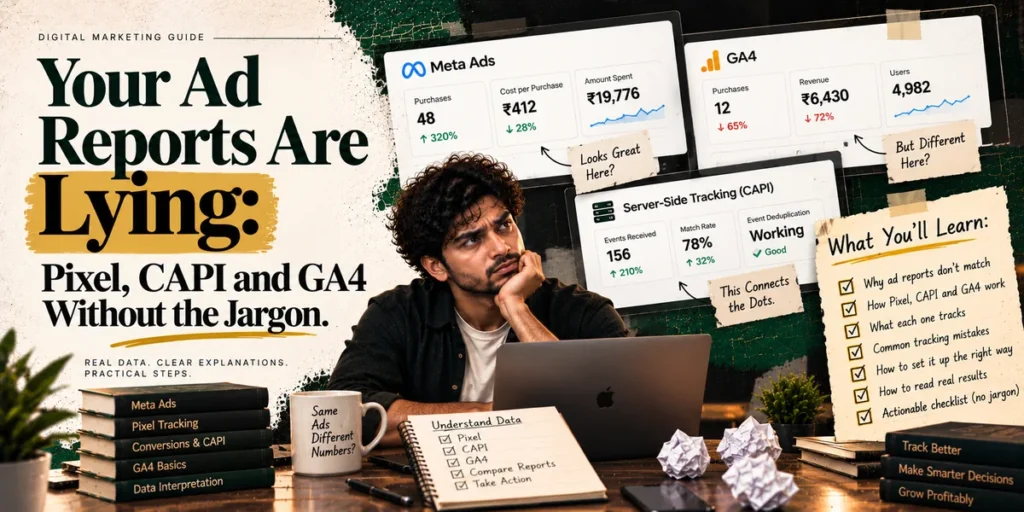
You check your ad report. It says ten conversions. You check your actual sales. You see six. Or four. Or two.
One of the numbers is wrong. And you do not know which one to trust.
This is one of the most common and most confusing problems in digital marketing. The tools you use to measure your ads often disagree with each other. Sometimes with each other. Sometimes with reality.
The good news: there is a reason for the gap. Once you understand what each tool does and what it misses, you can stop worrying about the wrong number.
Direct Answer
Your ad reports are lying because of three things. The pixel misses conversions when users block tracking or switch devices. CAPI helps fill some of those gaps. GA4 measures differently from Meta and Google, so the same conversion can be counted three different ways. None of them is fully accurate. You just need to know which one to trust for which decision.
What Each Tool Actually Does
The Pixel. A small piece of code on your website that tells the ad platform when someone takes an action. Installed once. Fires events when they happen.
CAPI. The Conversions API. A server-side version of the pixel. Instead of the user’s browser telling the ad platform what happened, your server tells it. Fills gaps left by the pixel.
GA4. Google Analytics 4. A tool that tracks everything that happens on your site, regardless of which ad brought the user. Its job is to show the full picture, not just one ad platform’s view.
Each tool has a different job. They will never agree perfectly.
1. The Pixel Misses Conversions
The pixel is good, but it is not perfect. Here is why.
Ad blockers. Many browsers block tracking scripts by default now. When they do, the pixel does not fire. The sale happened, but the ad platform never hears about it.
Cookies limited. Browsers like Safari and Firefox limit third-party cookies, which the pixel used to rely on. Without those, the platform loses the thread between the ad click and the purchase.
Cross-device journeys. Someone sees your ad on their phone, thinks about it, and buys on their laptop. The pixel on the laptop does not connect that purchase back to the phone ad.
Slow page loads or errors. If a user closes the tab before the pixel fires, the event never registers.
iOS privacy features. Apple’s App Tracking Transparency asks users whether they want to be tracked. Many say no. When they do, the pixel loses the signal.
None of these are the platform’s fault. They are the reality of how the internet works in 2026. The pixel is still useful. It is just not complete.
2. CAPI Fixes Some Gaps, Not All
CAPI sends the same kind of information, but from your server instead of the user’s browser.
This bypasses two problems. It works even if the browser is blocking scripts. It works even if the user’s device is switching between Wi-Fi and mobile data.
But CAPI does not fix everything. It still needs an identifier to match the conversion back to a user. It still cannot magically track a user who opted out of tracking. It reduces the loss. It does not eliminate it.
In most modern ad setups, the best practice is to run the pixel and CAPI together. The pixel catches what the browser allows. CAPI catches what the pixel misses. Together they give the platform a better picture.
3. GA4 Counts Differently From Ad Platforms
GA4 is not trying to match Meta or Google Ads. Its job is to track every user journey on your site, regardless of where the traffic came from.
That means three differences from the ad platforms.
GA4 uses last-click by default in some views. It attributes the conversion to the last channel that brought the user, not to any earlier ad they saw. Meta and Google Ads often use different attribution models.
GA4 counts differently across users and sessions. A single user with multiple sessions might appear as multiple conversions or one, depending on the view.
GA4 does not attribute to specific ad creatives. It shows you the channel. The ad platform shows you the exact ad.
The result: the same customer can appear three times. Once in your ad report. Once in GA4. Once in your real sales. Three numbers. Three truths. None complete.
4. Different Attribution Windows Cause Different Counts
Meta might count a conversion if the user clicked your ad within 7 days. Google might use a 30-day window. GA4 might use a 30-day window but with a different model.
Same conversion. Three different windows. Three different counts.
Fix: Align your attribution windows across tools as much as possible. If you cannot align them, at least know what each one is using, so you can compare fairly.
5. Delayed Conversions Show Up Late
Someone clicks your ad on Monday. They convert on Thursday. Depending on when you check the report, you might see the click but not the conversion, or you might see both.
Fix: Give reports time. Do not judge a campaign’s conversion rate on the same day you launched it. Wait at least 7 days, sometimes longer for high-consideration purchases.
6. Duplicate Events Inflate Numbers
Sometimes the same conversion is counted twice. A user submits the form, then refreshes the thank-you page. A pixel fires again. Now the report shows two leads when there was one.
Fix: Check your events. If thank-you pages can be reloaded, they can inflate numbers. Set up server-side rules to deduplicate conversions where possible.
7. Bots and Invalid Clicks Skew Data
Some clicks are not from humans. Bots, click farms, accidental taps. These inflate click counts and sometimes form fills. The ad platform does its best to filter them, but it cannot catch everything.
Fix: Look for patterns. If a campaign has high clicks and zero conversions consistently, look at the placement report. Sometimes the issue is bad traffic sources.
Comparison Table
| Tool | What It Measures | Strength | Weakness |
|---|---|---|---|
| Pixel | Browser-side events on your site | Simple to install, works for most users | Misses blocked users and cross-device |
| CAPI | Server-side events | Bypasses browser blocks | Needs matched identifier, not full coverage |
| GA4 | All traffic and on-site actions | Cross-channel, full site view | Different attribution, does not match ad platforms |
| CRM | Real leads and customers | Ground truth for actual business | Misses anonymous visitors |
| Payment gateway | Actual revenue | Verifiable, financial record | Shows final step only |
What I Actually Did
The first time I saw a gap between Meta’s reported leads and my actual sales, I thought the platform was cheating me. I spent days looking for the problem.
The problem was not Meta. The problem was my expectation. Meta was reporting what it could see. My CRM was reporting what actually converted. They were both right. They were just counting different things.
The change I made was simple. I set up CAPI alongside the pixel. I added UTM tags to every ad. I stopped optimising my campaigns on the ad platform’s own number and started optimising on my CRM’s number. Cost per lead on Meta went up slightly in the report. Cost per actual customer went down. That is the number that matters.
Later, when I started teaching tracking, I told students the same thing. Do not chase perfect attribution. It does not exist. Chase clarity about which number to trust for which decision.
Mistakes to Avoid
Expecting all tools to match exactly. They will not. Different tools count different things.
Optimising on the ad platform’s conversion number alone. Always cross-check with your CRM or backend.
Not installing CAPI. In 2026, running only the pixel is not enough for serious advertising.
Mixing attribution windows. If Meta uses 7-day click and GA4 uses 30-day, the numbers diverge by design.
Ignoring UTMs. Without UTM tags, GA4 cannot reliably tell which campaign brought the traffic.
Blaming the platform for the gap. The gap is a fact of modern tracking. Learn to work with it.
Practical Checklist for Cleaner Reports
- ☐ Pixel is installed on every page and firing correctly.
- ☐ CAPI is set up alongside the pixel.
- ☐ Every campaign uses UTM tags.
- ☐ Attribution windows are consistent across tools.
- ☐ Leads are sent to the CRM in real time.
- ☐ I track one primary conversion, not ten.
- ☐ I check Events Manager once a month.
- ☐ I know which number to trust for which decision.
- ☐ I use the ad platform’s number for creative decisions, GA4 for channel comparisons, CRM for revenue decisions.
- ☐ I judge trends, not exact counts.
FAQ
Q: Why does Meta show more conversions than my actual sales?
A: Meta counts conversions based on its own attribution model, which may include users who clicked or viewed your ad within a certain window and later purchased. Some of those conversions may be counted even if your CRM cannot match them.
Q: Do I need CAPI if I already have the pixel?
A: Yes, for serious advertising. The pixel misses a growing share of users due to browser and device restrictions. CAPI fills some of those gaps.
Q: Why does GA4 always show different numbers from Meta and Google Ads?
A: GA4 tracks the entire site journey, while ad platforms track their own campaigns. Different scope, different attribution, different counts.
Q: Which number should I trust?
A: Trust the ad platform for creative decisions, GA4 for channel comparisons, and your CRM or payment gateway for revenue decisions.
Q: Can I make the numbers match?
A: Not perfectly. You can reduce the gap by setting up CAPI, using UTMs, aligning attribution windows, and sending leads to your CRM in real time. Perfect alignment is not realistic.
Q: Is there a way to know the actual number of conversions?
A: The closest thing to ground truth is your CRM or payment gateway. That is your real business number. The ad platforms are directional, not absolute.
End CTA
If you want to learn tracking, pixel, CAPI, and GA4 by setting them up on a real project, look at the SVidya homepage. Tracking runs across multiple weeks in the 22-week live program. Every student installs tracking on a real site and verifies events. Read the curriculum and check whether it fits your goals. If it does not, that is fine too. The important thing is that you stop chasing perfect attribution and start trusting the right number for the right decision.
Author Box
Shubhankar Vashist is the founder of SVidya, based in Delhi. He has 6+ years of marketing experience across healthcare, pharma, cosmetics, e-commerce and agencies. He teaches digital marketing by making students build real assets.