Most people pay for an SEO course before they have opened a single free tool.
That is backwards. The free tools teach you more in a week than most paid courses teach in a month, because you are working with real data, not slides.
So before you pay for an online SEO course, spend a few weeks with these eight free tools. If you enjoy the work, the course will make more sense. If you do not, you just saved a lot of money.
The short answer
The eight tools below cover the four core skills of SEO. Reading data, finding keywords, checking speed, and fixing technical issues.
Learn them in order. Each one builds on the last. Most take a few hours to understand, and then a lifetime to master.
Why free tools come first
Free tools give you three things a course often cannot.
- Real data. Your own site, your own numbers, your own mistakes.
- No pressure. You can explore without a deadline or a fee.
- A clear signal. If you enjoy the work, you will enjoy the course. If you find it boring, that is useful information too.
A course teaches structure and feedback. Free tools teach the actual feel of the work. You need both, but the free part comes first.
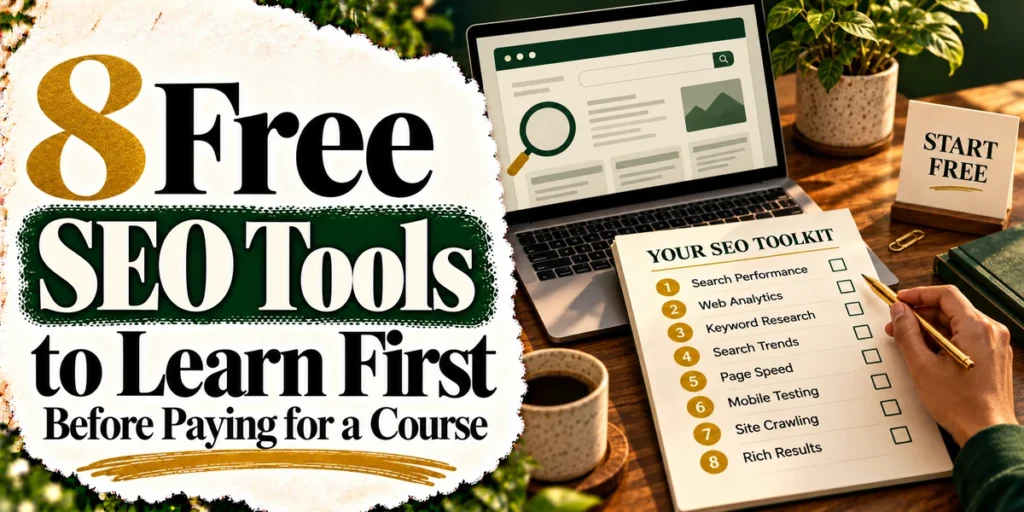
The 8 free SEO tools
Here they are, in the order I would learn them.
1. Google Search Console
This is the most important free SEO tool, and most beginners ignore it.
It shows how Google sees your site. Which pages are indexed. Which queries bring impressions. Which pages have issues.
What to learn first. The URL inspection tool, the Performance report, and the Pages report.
How to practise. Add your own site or a practice blog. Check indexing weekly.
2. Google Analytics 4
GA4 shows what visitors do after they arrive. Sessions, events, and conversions.
SEO does not end at the click. It ends at what happens next. GA4 is how you see that.
What to learn first. The reports snapshot, events, and conversions.
How to practise. Open it on a real site and find one conversion event.
3. Google Trends
Google Trends shows what people are searching over time. It helps you spot rising topics and seasonal patterns.
It is not a keyword volume tool. It is a comparison tool. Use it to compare two topics, not to find exact numbers.
What to learn first. Comparing two search terms, and checking regional interest.
How to practise. Compare two topics in your niche for the last twelve months.
4. PageSpeed Insights
Page speed affects user experience and rankings. PageSpeed Insights shows how fast your page loads, on mobile and desktop, with clear suggestions.
What to learn first. Core Web Vitals, and the top three suggestions it gives you.
How to practise. Run it on your own site and fix one suggestion.
5. Google Keyword Planner
Keyword Planner is built for ads, but it gives useful SEO signals too. It shows search volume ranges and related terms.
You do not need an ad budget to use the basic view. It is enough to understand relative demand.
What to learn first. Search volume ranges and related keyword ideas.
How to practise. Look up five terms in your niche and compare their ranges.
6. Bing Webmaster Tools
Bing Webmaster Tools is often ignored, but it is free and useful. It gives you another view of indexing, site issues, and search performance.
It also has a useful keyword research section that many beginners never open.
What to learn first. Site scan and keyword research.
How to practise. Add your site and run a site scan.
7. Ahrefs Webmaster Tools
Ahrefs Webmaster Tools is a free version of a paid tool. It shows backlinks, site health, and some technical issues.
It is limited compared to the paid version, but it is enough to learn the basics of link analysis.
What to learn first. Site audit and backlinks overview.
How to practise. Run a site audit and read the top five issues.
8. Google Rich Results Test
This tool checks whether a page is eligible for rich results, like FAQ snippets or review stars. It is a small but important technical skill.
It also helps you understand structured data, which many beginners skip.
What to learn first. Testing one page and reading the errors.
How to practise. Test a page with an FAQ section and fix one error.
The free tools quiz: which tool for which job?
Three short scenes. Pick your move before you scroll. Then read the answer.
Scene one. Your page is not appearing in Google. Which tool do you open first?
A. Google Trends.
B. Google Search Console.
C. PageSpeed Insights.
The smart move: B. Search Console shows whether the page is indexed. A is for topic research. C is for speed, not indexing.
Scene two. You want to compare two topics to see which is growing. Which tool?
A. Google Trends.
B. GA4.
C. Rich Results Test.
The smart move: A. Trends compares search interest over time. B is for on-site behaviour. C is for structured data.
Scene three. Your page loads slowly on mobile. Which tool do you use?
A. Bing Webmaster Tools.
B. Google Keyword Planner.
C. PageSpeed Insights.
The smart move: C. PageSpeed Insights shows speed and Core Web Vitals. A is for indexing and keywords. B is for search demand.
Do you see the pattern? In every scene, the smart move is the same. Match the tool to the job.
A real story about learning free tools first
A composite story, based on many real cases. A student, call him Dev, wanted to learn SEO. He almost paid for a course immediately.
A friend suggested he spend two weeks with free tools first. Dev added his blog to Search Console, opened GA4, and ran PageSpeed Insights.
In two weeks, he found three problems. A slow mobile page. Two posts not indexed. A missing FAQ structure.
He fixed them. Impressions started to climb, slowly.
Dev told me, “Course se pehle maine asli kaam dekha.” Before the course, I saw the real work.
When he later joined a course, he understood the lessons faster, because he had already touched the tools.
That is the point. Free tools give you context. A course gives you structure and feedback. Learn the tools first, and the course becomes much more useful.
How to learn these tools fast
Here is a simple four-week plan.
- Week one. Search Console and GA4. Add your site. Check indexing. Find one conversion event.
- Week two. Google Trends and Keyword Planner. Compare five topics. Look up ten keywords.
- Week three. PageSpeed Insights and Bing Webmaster Tools. Fix one speed issue. Run a site scan.
- Week four. Ahrefs Webmaster Tools and Rich Results Test. Run an audit. Test one page.
Four weeks, about thirty minutes a day. That is enough to understand the basics.
Before you start, read Google’s Search Essentials and the Search Console documentation. Both are free and clear, and they will make the tools easier to use.
Common mistakes beginners make
- Paying for a course before opening any free tool.
- Using a tool once and assuming you understand it.
- Ignoring Search Console, the most important free tool.
- Chasing keyword volume numbers without checking relevance.
- Skipping technical tools because they look hard.
- Learning ten tools at once instead of one at a time.
What free tools cannot promise
Free tools cannot give you feedback on your work. They cannot tell you whether your audit is good, or whether your keyword choice makes sense.
That is where a course helps. Structure, reviews, and a trainer who has done the work.
Svidya’s numbers are examples, not guarantees. 200+ students taught. A highest package of 9.8 LPA. Three free demo classes. The highest package is one person’s result. It is not a forecast for you.
Your action checklist
Print this. Use it this month.
- Add your site to Search Console and check indexing.
- Open GA4 and find one conversion event.
- Compare two topics in Google Trends.
- Run PageSpeed Insights and fix one suggestion.
- Look up five keywords in Keyword Planner.
- Add your site to Bing Webmaster Tools and run a site scan.
- Run one audit in Ahrefs Webmaster Tools.
- Test one page in the Rich Results Test.
- Book the demo. At Svidya you get three free demo classes for the AI-Powered Marketing Course. Attend all three before you decide.
- Keep a simple log of what you learned each week.
Final words and your next step
Before you pay for an online SEO course, learn the free tools. Search Console. GA4. Trends. PageSpeed Insights. Keyword Planner. Bing Webmaster Tools. Ahrefs Webmaster Tools. Rich Results Test.
They cost nothing, and they teach you the feel of the work. If you enjoy them, a course will make more sense. If you do not, you just saved money.
You do not have to guess. Start with Search Console this week.
If you are in Delhi and want structure and reviews on top of this practice, start with a free demo class at Svidya’s AI-Powered Marketing Course. Bring the checklist. Ask the awkward questions. Then decide, with proof in your hand and no pressure from anyone.
About the author
Shubhankar Vashist is the founder of SVidya, based in Delhi. He has 6+ years of marketing experience across healthcare, pharma, cosmetics, e-commerce and agencies. He teaches digital marketing by making students build real assets.
FAQ
Which free SEO tool should I learn first?
Start with Google Search Console. It shows how Google sees your site, which pages are indexed, and which queries bring impressions. It is the foundation for everything else.
Can I learn SEO for free without a course?
Yes, to a point. Free tools and free documentation teach a lot. What they rarely give you is feedback on your work, which is where a good course helps.
Is Google Keyword Planner free for SEO research?
The basic view is free and shows search volume ranges and keyword ideas. You do not need an ad budget to use it for learning.
Do I need paid tools to learn SEO?
No. Free tools cover the basics well. Paid tools help later, when you work on larger sites or need deeper data.
How long should I practise with free tools before taking a course?
About four weeks of regular practice is a good start. That is enough to understand the basics and decide whether SEO is the right path for you.