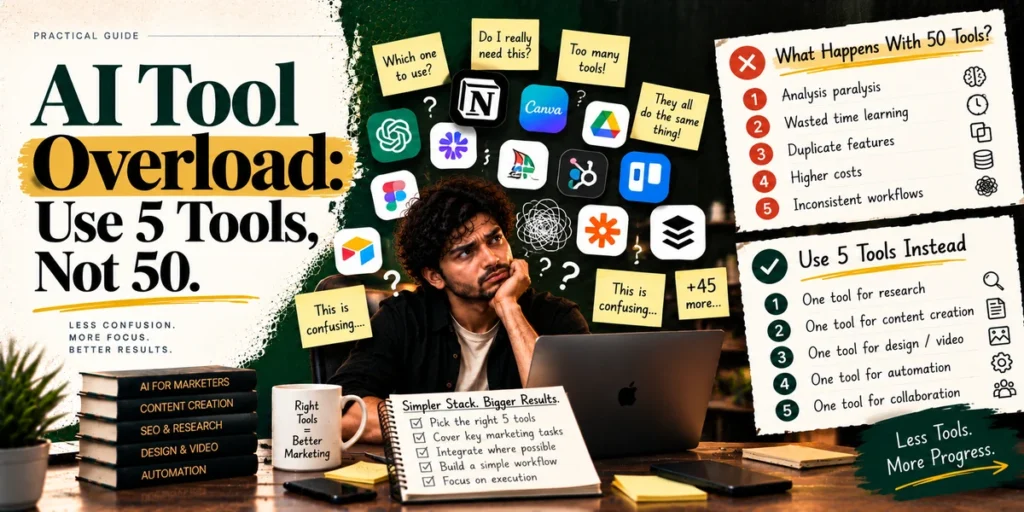
Every week a new AI tool launches. Every week someone on YouTube says it is a game changer. Every week you add another tab to your browser.
Six months later, you have signed up for thirty tools. You use three of them. The rest are collecting dust and sending you newsletters.
Worse, your work has not improved. Because the problem was never the tools. The problem was the work.
Direct Answer
You do not need fifty AI tools. You need five. One for thinking, one for writing, one for images, one for automation, and one for the platform where the work actually happens. Five tools used well beat fifty tools used badly every time.
Why AI Tool Overload Happens
Three reasons.
Fear of missing out. Someone says a new tool is better than what you use. You sign up. You do not migrate your work. You just add another tab.
The illusion of progress. Signing up for a new tool feels like improving your workflow. It is not. It is just adding a new thing to learn.
No clear process. If you do not know what your workflow is, every tool looks potentially useful. If you know exactly what you are trying to produce, most tools are obviously irrelevant.
The 5 Tools You Actually Need
1. A Thinking Tool
Used for: research, brainstorming, structuring ideas, drafting outlines, thinking through problems.
Most people use a general AI assistant. That works. The important thing is to use it deliberately, not to have five different thinking tools open at once.
Rule: one thinking tool, used daily. Not two. Not five.
2. A Writing Tool
Used for: drafting, editing, rewriting, matching tone.
Again, one is enough. The mistake is using a different AI for every piece of writing. Consistency matters. One tool, used well, produces better output than five tools fighting with each other.
3. An Image Tool
Used for: images, graphics, thumbnails, ad creatives.
One image tool covers 90 percent of marketing needs. Maybe two if you have a specific use case, like one for realistic photos and one for illustrations. Not five.
4. An Automation Tool
Used for: connecting your tools, triggering actions, moving data.
One automation tool is enough. Connecting your workflow across five different automation tools is a fast way to break things.
5. The Platform Where the Work Happens
Used for: the actual output. Meta Ads. Google Ads. WordPress. Shopify. Canva. Your email tool.
This is the one people forget. The AI tools are helpers. The output happens on the real platform. Master that platform deeply.
7 Reasons Fewer Tools Wins
1. Depth Beats Breadth
You know a tool well after fifty hours. You know five tools badly after the same time spread across them. Depth is what makes you fast. Breadth just makes you busy.
2. Workflows Stay Simple
Fewer tools mean fewer connections, fewer break points, fewer things that go wrong. A workflow built on five tools is easier to debug than one built on fifteen.
3. Money Stays Where It Matters
Most tools have a free tier and a paid tier. Five tools mean five subscriptions. Fifty tools mean fifty. That money could go into ads, content, or anything else that actually grows the business.
4. Attention Stays Where the Value Is
Every tool login, every update notification, every new feature announcement pulls your attention from the work. Attention is the scarcest resource you have.
5. Real Skill Develops
The skill is not knowing many tools. The skill is knowing how to get results with the tools you have. That only happens with depth.
6. Switching Costs Drop
When you use five tools, switching one out is a small decision. When you use fifty, every switch is a tangled mess. Simplicity keeps you agile.
7. Onboarding Costs Stay Low
Every new tool takes time to learn. Fifty tools mean fifty onboarding cycles. Five tools mean you actually reach proficiency in each one.
Comparison Table
| Category | What Most People Do | What Works |
|---|---|---|
| Thinking | 5 AI assistants open | 1 AI assistant, used daily |
| Writing | Different tool per piece | 1 writing tool, consistent tone |
| Images | 6 image tools, confused output | 1 image tool, mastered |
| Automation | 3 automation platforms | 1 automation tool, stable workflows |
| Platform | Knows 10 platforms shallowly | Knows 1 platform deeply |
What I Actually Did
When AI tools started launching every week, I signed up for most of them. My browser had twelve tabs open at all times. I subscribed to five. I used two.
My output did not improve. In fact, it got worse. Every task started with a decision about which tool to use. That decision alone ate ten minutes a day.
The fix was simple. I picked one tool per category and cancelled everything else. One for thinking. One for writing. One for images. One for automation. And I told myself to master my actual work platform, not the helpers.
My output improved within a week. Not because the tools were better. Because I stopped deciding and started working.
Since then, I have a rule. A new tool has to replace an existing one, not add to it. If it is not clearly better, I do not add it. That one rule has saved me hundreds of hours and thousands of rupees.
Mistakes to Avoid
Paying for tools you do not use. Check your subscriptions every three months. Cancel anything you have not opened in thirty days.
Using a new tool for every task. You will never master any of them. Pick one and use it until you find a real limitation.
Believing the all-in-one pitch. Some tools genuinely replace many. Most claim to and do not. Test before you switch.
Switching tools mid-project. Finish the project on the tool you started with. Then evaluate.
Ignoring the free tier. Most paid tools have a free version that covers 90 percent of what a solo marketer needs. Start free.
Letting tools replace judgment. The tool executes. You decide. Do not let the choice of tool become the work.
Practical Checklist
- ☐ I have one tool per category: thinking, writing, images, automation, platform.
- ☐ I use each of my tools at least once a week.
- ☐ I have cancelled subscriptions I have not used in the last thirty days.
- ☐ I can name the specific task each tool does for me.
- ☐ My workflow does not depend on five different tools talking to each other.
- ☐ I have mastered my main platform deeply, not just the AI helpers.
- ☐ I have not added a new tool in the last month without removing one.
- ☐ I evaluate a new tool only if it clearly replaces something I use.
- ☐ I do not spend more time deciding on tools than using them.
- ☐ My output is better than it was six months ago, not just my tool list.
FAQ
Q: Which specific tools should I use?
A: The specific tools matter less than the structure. One per category: thinking, writing, images, automation, and your main platform. Choose tools that fit your budget and your workflow, then commit to them for at least three months.
Q: Is there a tool that does everything?
A: Some tools cover multiple categories. If one tool genuinely covers three of the five, use it. Just do not stack five tools that each cover the same three.
Q: How often should I evaluate my tools?
A: Every three months. Check what you actually used, what you paid for, and what you can drop. Most people find one or two subscriptions to cut.
Q: What if a new tool is genuinely better than what I use?
A: Then replace the old one. Do not add it alongside. One tool per category.
Q: Do I need to pay for AI tools to get good results?
A: No. Most free tiers cover 90 percent of what a solo marketer needs. Pay only when you hit a real limitation, not because a paid plan looks nicer.
Q: How do I stop feeling like I am missing out?
A: Accept that you will always miss tools. Everyone does. Focus on getting results with what you have. Results attract more attention than tool knowledge ever will.
End CTA
If you want to learn how to build results with a small, focused tool stack, look at the SVidya homepage. The program teaches a small set of AI tools and platforms, mastered deeply over 22 weeks. Every student builds real projects with the same tools, not a different tool for every week. Read the curriculum and check whether it fits your goals. If it does not, that is fine too. The important thing is that you stop collecting tools and start building results.
Author Box
Shubhankar Vashist is the founder of SVidya, based in Delhi. He has 6+ years of marketing experience across healthcare, pharma, cosmetics, e-commerce and agencies. He teaches digital marketing by making students build real assets.