
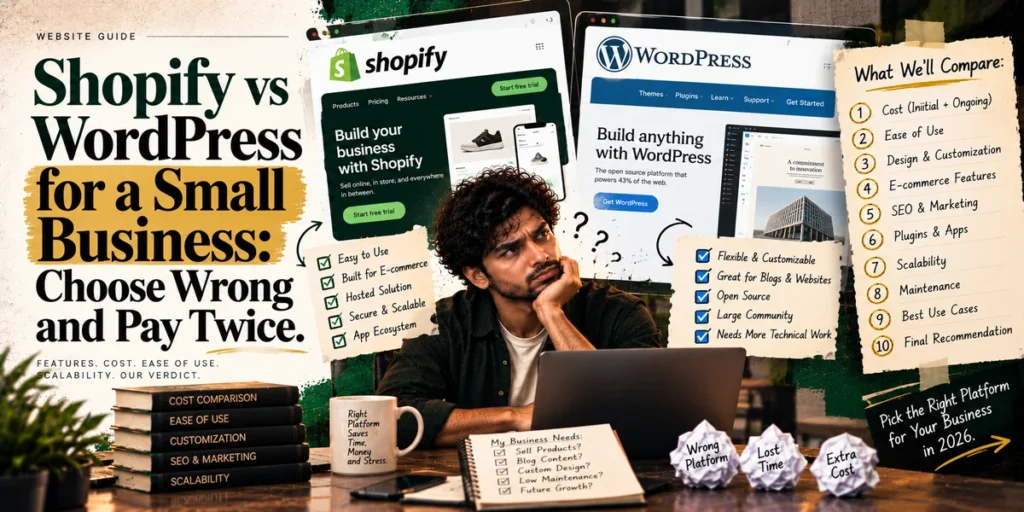
You need a website for your small business. You have heard of Shopify. You have heard of WordPress. Both look possible. Both have people telling you they are the right choice.
Choose the wrong one and you pay twice. Once when you build on the wrong platform. Again when you rebuild on the right one.
Here is a plain comparison to help you decide before you pay anything.
Direct Answer
Choose Shopify if you sell physical products and want to start selling fast without dealing with technical setup. Choose WordPress with WooCommerce if you need a flexible website that can handle content, services, and a store together. Neither is universally better. The right choice depends on what you actually sell and how much control you want.
What Shopify Is Good At
Shopify is a hosted platform built for selling physical products. It is the fastest path from “I want to sell online” to “my store is live”.
What Shopify does well:
- Setup is quick. You can be live in a day.
- Hosting, security, and updates are handled by Shopify.
- The checkout process is smooth and conversion-focused.
- Payment and shipping integrations are ready to use.
- Support is included.
- The interface is simple enough for a non-technical owner.
Shopify is a good fit if you have a clear product catalogue and want to sell without building the plumbing yourself.
What Shopify Does Not Do Well
Shopify is not built for content-heavy websites. If your business needs blogs, service pages, resource libraries, or complex custom layouts, Shopify gets awkward.
Other limitations:
- You pay a monthly fee forever. There is no one-time build option.
- Customisation beyond the theme is limited. You often need apps, and each app costs extra.
- Content and SEO flexibility is less than WordPress.
- Migration away from Shopify is possible but painful.
If your business is mostly content, service, or consulting, Shopify is likely the wrong choice.
What WordPress Is Good At
WordPress with WooCommerce is a self-hosted platform. You own the site. You control everything.
What WordPress does well:
- Full control over design, structure, and content.
- You can run a blog, a service site, and a store from the same installation.
- Plugins cover almost every need, from SEO to booking to memberships.
- Hosting costs are usually lower than Shopify monthly fees over time.
- SEO flexibility is the strongest of any platform.
- You are not locked into one company’s rules.
WordPress is a good fit if you need a website that can grow with your business in multiple directions.
What WordPress Does Not Do Well
WordPress requires more work. This is the honest trade-off.
Common issues:
- You handle hosting, security, backups, and updates.
- Plugins can conflict with each other and break the site.
- Speed requires active optimisation.
- If something breaks, you fix it or pay someone.
- Setup takes longer than Shopify.
If you are not willing to manage the technical side, or to pay someone to, WordPress can become a burden.
The Real Decision Framework
Ask three questions.
Question 1: What do I sell?
If it is physical products, and only that, Shopify is usually faster. If you sell services, courses, consulting, or a mix of content and products, WordPress is usually better.
Question 2: How much do I want to manage?
If you want a platform that handles the plumbing, Shopify. If you want full control and are willing to manage it, WordPress.
Question 3: What is my budget over three years?
Shopify monthly fees add up. WordPress needs hosting plus maintenance. Do the three-year math, not just the first month.
Comparison Table
| Factor | Shopify | WordPress + WooCommerce |
|---|---|---|
| Setup speed | Very fast, hours to days | Slower, days to weeks |
| Technical work | Minimal, hosted for you | You manage hosting and updates |
| Monthly cost | Subscription, ongoing | Hosting, usually lower over time |
| Content and blog | Basic | Strong |
| SEO flexibility | Limited compared to WordPress | Highest |
| Customisation | Limited to themes and apps | Full control with code or plugins |
| Security | Handled by Shopify | Your responsibility |
| Payment setup | Built-in | Set up via plugins |
| Best for | Product-only stores | Content, services, stores, or mixed |
| Migration pain | Painful to leave | Portable |
What I Actually Did
I have built on both. Shopify is faster to launch. WordPress is more flexible long-term.
The pattern I have seen repeat is this. Business owners who pick Shopify because it sounds easier often outgrow it in a year. They need a blog, or a service page, or a booking system, and Shopify becomes awkward. Then they rebuild on WordPress and pay twice.
The other direction happens less often. WordPress users who only sell physical products sometimes move to Shopify for the smoother checkout. But the move is usually smaller than the Shopify-to-WordPress rebuild.
If I am starting a project for a small business, I ask one question first. Do you sell only products, or do you sell products and something else. The answer decides the platform. Not the hype.
Mistakes to Avoid
Choosing based on YouTube recommendations. A YouTuber’s affiliate deal is not your business case. Decide based on what you sell.
Choosing Shopify for a service business. Shopify’s checkout is built for products, not for consultations or custom quotes.
Choosing WordPress because it is free. The software is free. The hosting, plugins, and your time are not.
Ignoring the three-year cost. Shopify’s monthly fee over three years is often more than hosting WordPress for the same period.
Not planning for growth. What you need in year one is different from year two. Pick a platform that can grow with you.
Rebuilding too early. If your current platform is not truly blocking you, do not switch just because a new one looks nicer.
Checklist Before You Choose
- ☐ I know exactly what I sell. Products, services, or both.
- ☐ I know whether I need a blog or content section.
- ☐ I have calculated the three-year cost of both options.
- ☐ I know whether I am willing to manage the technical side.
- ☐ I have checked how migration would work if I ever need to leave.
- ☐ I have seen two real examples of businesses like mine on each platform.
- ☐ I have confirmed payment and shipping options work for my country and products.
- ☐ I have decided based on my business, not on someone else’s recommendation.
FAQ
Q: Is Shopify better than WordPress for SEO?
A: WordPress has more flexibility for SEO. Shopify is not bad at SEO, but WordPress gives more control over structure, metadata, and content depth.
Q: Can I use WordPress without WooCommerce?
A: Yes. If you do not sell products online, WordPress works fine as a normal website. WooCommerce is only needed if you want to run a store.
Q: Is Shopify good for a service business?
A: Not usually. Shopify’s checkout is built for products. For services, WordPress with a booking or enquiry form is a better fit.
Q: How much does each platform cost over three years?
A: Shopify: subscription fees accumulate every month. WordPress: hosting plus occasional plugin or maintenance costs. In most cases, WordPress is cheaper long-term if you are willing to manage it.
Q: Can I migrate from Shopify to WordPress later?
A: Yes, but it is painful. Products, orders, and customer data need to be moved carefully. This is exactly the pay twice problem.
Q: Which platform should a complete beginner use?
A: If you only sell products, Shopify. If you are not sure what you will sell, WordPress, because it will not limit you later.
End CTA
If you want to learn both Shopify and WordPress by building real projects on each, look at the SVidya homepage. Both platforms are covered in the 22-week live program. Every student builds a WordPress site, a blog, and a Shopify store. Read the curriculum and check whether it fits your goals. If it does not, that is fine too. The important thing is that you pick the right platform before you build, so you do not pay twice.
Author Box
Shubhankar Vashist is the founder of SVidya, based in Delhi. He has 6+ years of marketing experience across healthcare, pharma, cosmetics, e-commerce and agencies. He teaches digital marketing by making students build real assets.