
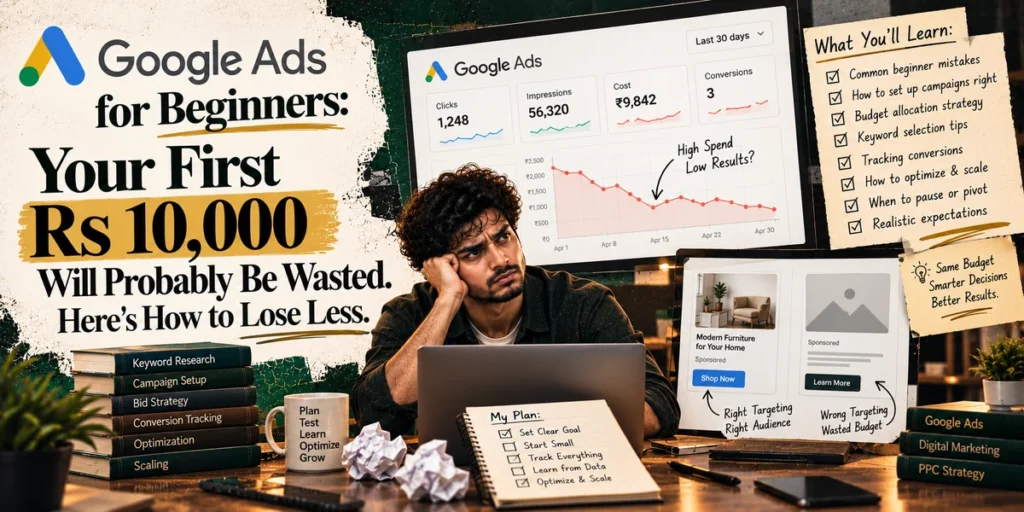
You are about to spend your first Rs 10,000 on Google Ads. Or you already spent it and have nothing to show.
Here is the honest truth. Most beginners lose their first Rs 10,000 on Google Ads. Not because Google is broken. Because of seven predictable mistakes that every beginner makes in the first campaign.
The goal is not to avoid losing money. The goal is to lose less and learn faster. Here is what actually eats your first budget, and how to reduce the damage.
What Google Ads Actually Charges You For
Google does not charge you for showing your ad. It charges you per click. Each click is a small amount of money, decided by an auction between you and other advertisers.
The cost per click depends on three things. How competitive the keyword is. How relevant your ad and landing page are. How high your quality score is.
Most beginners focus only on the first. They bid more to beat competitors. What they miss is that a better quality score lowers your cost per click. A relevant ad and landing page can cost you half of what a less relevant ad costs, for the same keyword.
That is the whole game. Not bidding higher. Being more relevant.
1. Bidding on Broad Keywords
You open Google Ads. You pick keywords like “digital marketing” or “website design” or “buy shoes”. These are broad keywords with millions of searches. They also cost the most and convert the worst.
Someone searching “digital marketing” could be a student, a business owner, a competitor, or a random user. You cannot tell which. You pay for all of them.
Fix: Use long-tail keywords. Specific phrases that a real buyer would type. “Digital marketing course for beginners in Delhi” is a better keyword than “digital marketing”. “Affordable website design for small clinics” is better than “website design”.
Long-tail keywords have lower search volume but much higher intent. Your cost per click is lower. Your conversion rate is higher. Your budget lasts longer.
2. Sending Traffic to Your Homepage
You write an ad. The user clicks. They land on your homepage. They see a lot of things. They get confused. They leave.
Your homepage serves many purposes. It is not built for one specific search. A Google Ads visitor clicked on a specific promise. They need a page that matches that promise exactly.
Fix: Send clicks to a landing page built for that one offer. One headline. One promise. One call to action. Nothing else. The closer the landing page matches the search intent, the better your conversion rate and your quality score.
A landing page is not a page with more information. It is a page with less information, focused on one decision.
3. Ignoring Search Intent
You bid on a keyword. But you did not think about what the searcher actually wants.
Someone searching “how to do SEO” wants information. Sending them to a page that sells SEO services will not work. Someone searching “SEO services in Delhi” wants to hire. Sending them to a blog post will not work.
Fix: Match the keyword to the intent.
- Informational searches need blog posts or guides.
- Commercial searches need comparison pages or service explanations.
- Transactional searches need pricing pages or direct booking.
Match the intent and your cost per click drops. Mismatch the intent and you pay for clicks that never had a chance.
4. No Negative Keywords
You start with ten keywords. Google starts showing your ad for hundreds of related searches. Some of them are good. Most are not.
You pay for searches like “free website design” when you sell paid services. Or “digital marketing course for children” when you teach adults.
Fix: Check your search terms report every few days. Any search that is clearly not relevant, add as a negative keyword. This tells Google to never show your ad for those searches again.
Negative keywords save more money than almost any other change. A well-maintained negative keyword list is the difference between a campaign that bleeds and one that holds.
5. Judging Too Early
You launched yesterday. You spent Rs 500. You have two clicks and one lead. You decide to shut the campaign down because the cost per lead is high.
Google Ads needs time and data to optimise. The first 48 to 72 hours are noisy. Judging on the first day is like judging a shop after one customer.
Fix: Give the campaign at least a week, or enough clicks to see a pattern. Set a spend cap you are comfortable with. Then judge based on the trend, not the day.
6. Copying a Competitor’s Campaign Without Understanding It
You looked at what a competitor is doing. You copied their keywords, their ad copy, and their landing page. It does not work.
Their audience, offer, and quality score are different from yours. What works for them depends on factors you cannot see. Copying the surface without understanding the logic gives you the surface without the results.
Fix: Study competitors to understand their positioning. Then build your own campaign around your own offer and your own audience. Copy the strategy, not the surface.
7. No Conversion Tracking Set Up
You have no tracking installed. Google has no idea who converted. So it optimises for the wrong action. It optimises for clicks, because that is all it can see.
Fix: Install conversion tracking. Set up the events that matter, like lead, form submission, or purchase. Test that they fire. Without tracking, Google cannot optimise. With tracking, it improves fast.
Where the Rs 10,000 Actually Goes
Here is a rough sense of how your first Rs 10,000 tends to get used.
- Rs 3,000 to Rs 4,000 lost to broad keywords before you narrow them.
- Rs 2,000 to Rs 3,000 lost to a homepage that does not match the search.
- Rs 1,500 to Rs 2,000 lost to searches that should have been negative keywords.
- Rs 1,000 to Rs 1,500 lost to early changes during the learning phase.
- The remaining Rs 1,000 to Rs 2,500 might produce one or two real leads.
You cannot skip all of these losses. But you can reduce them by fixing the mistakes before you launch.
Comparison Table
| What Beginners Do | What Experienced Marketers Do | Why It Matters |
|---|---|---|
| Bid on broad keywords | Bid on long-tail, specific keywords | Lower cost per click, better intent |
| Send clicks to homepage | Build a dedicated landing page | Higher conversion, better quality score |
| Ignore search intent | Match page to keyword intent | Fewer wasted clicks |
| No negative keywords | Weekly search term review | Prevents budget bleed |
| Judge in 24 hours | Judge in 7 to 14 days | Real data instead of noise |
| Change campaign daily | Let it run, then adjust | Learning phase preserved |
What I Actually Did
When I ran my first Google Ads campaign, I made every mistake on this list. I bid on broad keywords. I sent traffic to my homepage. I had no negative keyword list. I changed the campaign every day.
By the time I had spent my first small budget, I had learned a lot but produced almost nothing. The second campaign was better. The third was profitable.
The shift happened when I stopped trying to be clever and started being specific. Narrow keywords. A dedicated landing page. A weekly check on the search terms report. Small changes, not big ones.
Later, when I started teaching Google Ads, I built every lesson around this. The first campaign is a learning campaign. Do not treat it as a revenue campaign. Treat it as a training ground where the goal is to identify which mistakes you made, and fix them in the next campaign.
Mistakes to Avoid
Trying to be everywhere at once. One campaign, one goal. Do not run search, display, and shopping simultaneously in your first month.
Writing a clever headline instead of a clear one. Google users scan. Clarity beats cleverness.
Ignoring the mobile experience. Most Google searches are on mobile. If your landing page is slow or hard to use on a phone, you lose before the click matters.
Not using the search terms report. This report shows you what people actually typed before clicking your ad. It is the most useful tool in the account. Use it weekly.
Copying a competitor’s campaign. Their budget, offer, and page are different. Their success does not guarantee yours.
Scaling before you have a profitable campaign. Do not increase budget to fix a broken campaign. Fix the campaign first. Then scale.
Checklist Before You Launch
- ☐ I have picked specific long-tail keywords, not broad ones.
- ☐ I have built a dedicated landing page for this exact offer.
- ☐ The landing page headline matches the ad headline.
- ☐ I know the search intent behind each keyword.
- ☐ I have a starting negative keyword list.
- ☐ I will review the search terms report every week.
- ☐ I will not judge the campaign for at least 7 days.
- ☐ I have set a spend cap I am comfortable losing.
- ☐ Tracking is installed and I can see conversions.
- ☐ I know what success looks like at the end of week one, week two, and week four.
FAQ
Q: How much should I spend on my first Google Ads campaign?
A: Spend only what you can afford to lose while learning. There is no perfect number. Somewhere between Rs 500 and Rs 1,500 per day for one to two weeks usually gives you enough data to learn from.
Q: Is Google Ads better than Meta Ads for beginners?
A: It depends on the offer. Google Ads works well when people are already searching for what you sell. Meta Ads works well when you need to create demand. For pure beginners testing paid media, Meta is usually cheaper to learn on.
Q: Do I need a landing page or can I use my homepage?
A: A dedicated landing page is strongly recommended. A homepage tries to serve everyone. A landing page serves one search. The conversion difference is large.
Q: What is a good cost per click?
A: It depends on your industry and keywords. The important number is cost per conversion, not cost per click. A high cost per click with high conversion is fine. A low cost per click with zero conversions is not.
Q: How long before Google Ads becomes profitable?
A: Most beginners need two to three campaigns before seeing profitable results. The first campaign is learning. The second is refinement. The third starts to pay back.
Q: Should I use Google’s automated recommendations?
A: Treat them as suggestions, not instructions. Some help. Some increase spend without improving results. Check the impact on your cost per conversion before accepting.
End CTA
If you want to learn Google Ads by running real campaigns with feedback on keyword selection, landing pages, and search intent, look at the SVidya homepage. Google Ads is one of the modules in the 22-week live program. Every student runs a real campaign with real money, reviewed before scaling. Read the curriculum and check whether it fits your goals. If it does not, that is fine too. The important thing is that your next campaign loses less than your last one.
Author Box
Shubhankar Vashist is the founder of SVidya, based in Delhi. He has 6+ years of marketing experience across healthcare, pharma, cosmetics, e-commerce and agencies. He teaches digital marketing by making students build real assets.